How to Write Better Status Updates Without Meetings

Fluorine
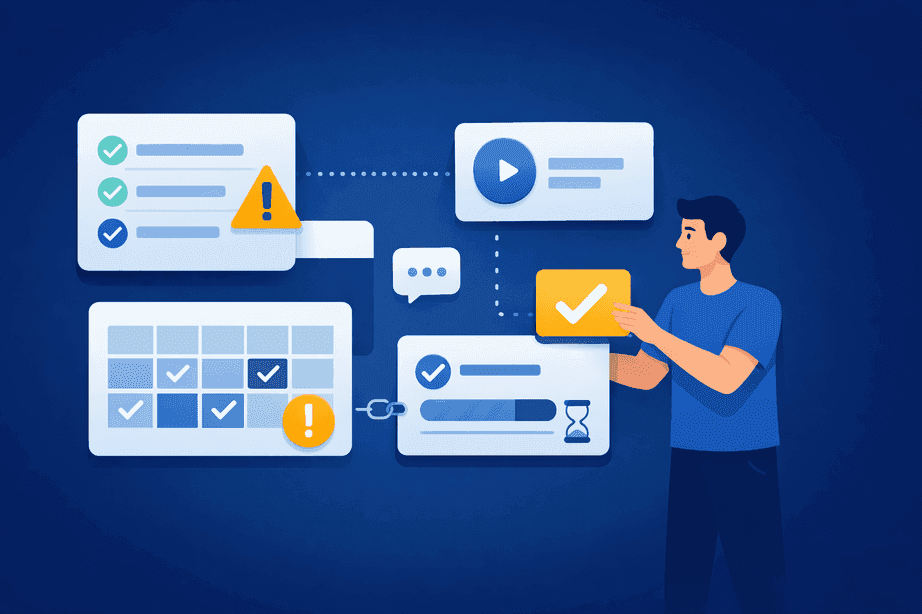
Teams are spending more time than ever in meetings, often without seeing a corresponding boost in productivity or clarity. In 2024, employees reported dedicating an average of 11.3 hours per week to meetings—totaling over 16 full workdays per year—while 65% felt that much of this time was wasted (archieapp.co; myhours.com). Over seven in ten senior managers also consider meetings unproductive and inefficient.
For startup teams and distributed organizations, the solution isn’t adding more meetings, but developing better asynchronous status updates that keep everyone informed while preserving focus time. Using an all-in-one workspace like Fluorine, teams can transform their approach to team communication and project alignment. Asynchronous status updates are simple written check-ins shared in one place so teammates can review them and respond on their own time.
Why scattered tools make updates and ownership harder to track (and how that leads to delays)
How to write clear updates using a repeatable format like PPP (progress, plans, problems)
A lightweight workflow for posting, tagging, and getting feedback without more meetings
Common status update mistakes that cause misalignment
How to roll out better update norms with a small pilot before scaling
This guide is for startup teams and fast-moving distributed groups that need a clearer way to share progress without constant live check-ins. It’s a fit when work is spread across chat, docs, and task tools and it’s getting harder to keep ownership and priorities visible.
Why Status Updates Become a Real Pain Point for Startup Teams
Startups thrive on agility, but as teams and projects multiply, work ends up scattered across chat, docs, and various project management tools. This fragmentation leads to missed handoffs and unclear ownership—a common cause of project delays and breakdowns in accountability. For example, Planview documented how disconnected tools resulted in QA teams testing outdated features because crucial updates never made it from engineering to the testing platform (blog.planview.com).
Fragmented attention is an additional risk, with 36% of employees admitting to multitasking during virtual meetings.
When updates and ownership are fragmented, confusion and delays follow.
That’s why Fluorine is designed as an all-in-one workspace to centralize updates, conversations, and task ownership—making project visibility and reducing meeting fatigue a reality for growing teams.
Teams leveraging async tools report 25% fewer meetings each week.
Core Principles for Writing Clear Status Updates That Stand on Their Own in One Workspace
Great status updates are built on a few simple, research-backed principles. The most widely recognized structure is the Progress, Plans, Problems (PPP) framework, which encourages contributors to share what they've accomplished, what's next, and any blockers. This is a recommended best practice in project management literature, even though a direct expert quote was not found.
Here’s what makes effective status updates work:
Clarity and Consistency: Use a repeatable structure—like PPP or “progress/blockers/next steps”—to make every update easy to scan.
Ownership: Clearly identify who is responsible for each action or next step.
Visibility: Share updates in a single workspace so everyone can see the latest status, reducing duplicate efforts and missed handoffs. This is especially important for distributed or global teams where coordination can otherwise become a bottleneck.
Actionable Details: Focus on what’s changed, what’s at risk, and what needs attention—not just a running log of tasks.
Feedback Loops: Encourage questions or comments right on the update to catch misalignment early.
Many teams also set light-weight team communication norms so everyone knows where updates go, how to ask questions, and how decisions get captured.
By combining tasks and team communication in one view, Fluorine gives teams asynchronous status updates, effective status reporting, and a single source of truth for every project.
A Simple Workflow for Status Updates That Fits Fast Teams
Implementing async status updates doesn’t require a massive overhaul—just a clear, step-by-step workflow:
Centralize Your Workspace: Choose a single tool like Fluorine where all updates, tasks, and conversations live.
Set a Schedule: Decide how often updates are posted (daily, weekly, or at project milestones).
Use a Standard Format: Apply the PPP framework or a similar template for each update.
Tag and Assign: Make sure each status update is linked to relevant tasks and owners.
Encourage Feedback: Invite questions and comments directly on updates for clarification or support.
Pro Tip: While a specific named company case study was not found, industry leaders frequently cite structured async workflows as a way to reduce unnecessary meetings and accelerate delivery. For example, GitLab uses recorded video calls and transcribed discussions to ensure all critical decisions are documented and accessible asynchronously.
For more on how to organize tasks and communication in one workspace, explore our practical guide to team alignment.
A Status Update Template You Can Copy
If you’re trying to improve async status reporting without adding more process, a simple project status update template can help people share the right level of detail consistently.
Progress: What moved forward since the last update (include outcomes, not every task)
Plans: What you’re doing next and by when
Problems: Blockers, risks, or decisions needed (and who should weigh in)
When you post this in the same workspace as your tasks, it’s easier to tie the update to the work and keep the context available later.
Where to Post Updates So They Stay Tied to the Work
Status updates work best when they live close to the tasks they reference, so people can scan progress and click into details without hunting through multiple threads.
Use task comments for updates tied to a specific deliverable, decision, or blocker.
Use a team-wide space for broader weekly updates across multiple workstreams.
Keep follow-up questions in the same thread so the update stays readable and auditable over time.
Common Mistakes with Status Updates and How to Avoid Them
What pitfalls trip up even well-intentioned teams? The most common mistakes include vague updates, information overload, inconsistent posting, or infrequency—an issue highlighted in Atlassian’s research on status reporting. When updates lack clarity or regularity, teams can quickly become misaligned.
It’s generally recognized in remote work research that regular feedback loops and check-ins—whether async or live—are essential for keeping distributed teams engaged and aligned, even if a specific stat isn’t available. This is a consistent recommendation in remote work best practices literature.
That’s why it’s smart to attach updates to tasks, maintain a predictable cadence, and use comment threads to close the loop on questions.
If live check-ins are still piling up, see our guidance on how to reduce status meetings with task based visibility.
For more actionable tips, see our advice on task comments that work for fast, decision-focused communication.
Rolling Out Better Status Update Norms with Your Team
Change doesn’t have to mean bureaucracy. Piloting async status updates can start with just one project or team, using a simple checklist and regular check-ins—using a consistent framework like PPP from the outset. While no public case perfectly mirrors a “30-day habit program” for async rollout, many organizations advocate for small, time-bound pilots to introduce new communication norms with strong results.
Start small: pick one team, set your cadence, and review after a few weeks—adjusting as you learn what works best for your workflow.
Building new habits around team communication and reducing meeting fatigue is easier when everyone sees the benefits in real time.
If you want a single place to run this workflow (tasks, updates, and discussion together), you can explore Fluorine’s plans here: https://www.fluorine.app/pricing.
Frequently Asked Questions
What’s the difference between async status updates and a live standup?
Async status updates are posted in writing (or recorded) so people can read and respond when they’re available, rather than gathering everyone at the same time. The goal is to keep team communication clear while protecting focus time.
How often should we post status updates?
Use the cadence that matches the pace of your work: daily for fast-moving execution, weekly for cross-functional reporting, or at milestones for project-based teams. The key is picking a schedule and sticking to it so updates are predictable.
What should a status update include?
A simple structure like PPP (Progress, Plans, Problems) helps keep updates scannable. It also makes it easier to spot blockers early and clarify ownership without turning updates into long summaries.
Where should status updates live—chat or tasks?
When an update relates to a specific deliverable, posting it on the task keeps context attached to the work and makes follow-ups easier to track. For broader updates, share them in a shared workspace where everyone can find the latest status in one place.
How do we roll this out without adding extra process?
Start with one project, use the same update format for a few weeks, and then adjust based on what the team found helpful. A small pilot supports reducing meeting fatigue without forcing a big change all at once.
References
archieapp.co. (2024). "Meeting Statistics: How Much Time Do We Spend in Meetings?" https://archieapp.co/blog/meeting-statistics/
myhours.com. (2024). "Meeting Statistics 2025." https://myhours.com/articles/meeting-statistics-2025
blog.planview.com. (2024). "Why Disconnected Toolchains Are Crippling Your Product Development." https://blog.planview.com/se/why-disconnected-toolchains-are-crippling-your-product-development-and-what-to-do-about-it/
webstacks.com. (2024). "Design-to-Developer Handoff Mistakes." https://www.webstacks.com/blog/design-to-developer-handoff-mistakes
winsavvy.com. (2024). "Async Communication Usage in Remote Teams [Tool & Trend Data]." https://www.winsavvy.com/async-communication-usage-in-remote-teams-tool-trend-data/
wifitalents.com. (2024). "Virtual Meeting Statistics: Reports 2025." https://wifitalents.com/virtual-meeting-statistics/
asana.com. (2024). "Unproductive Meetings: The Hidden Cost." https://asana.com/inside-asana/unproductive-meetings
Related topics
You may also like
Discover more articles that expand on similar ideas and themes




Stop switching tabs. Start actually shipping.
Fluorine replaces the stack your team already pays for. Add AI that does the work no one has time for. Start your free trial today.