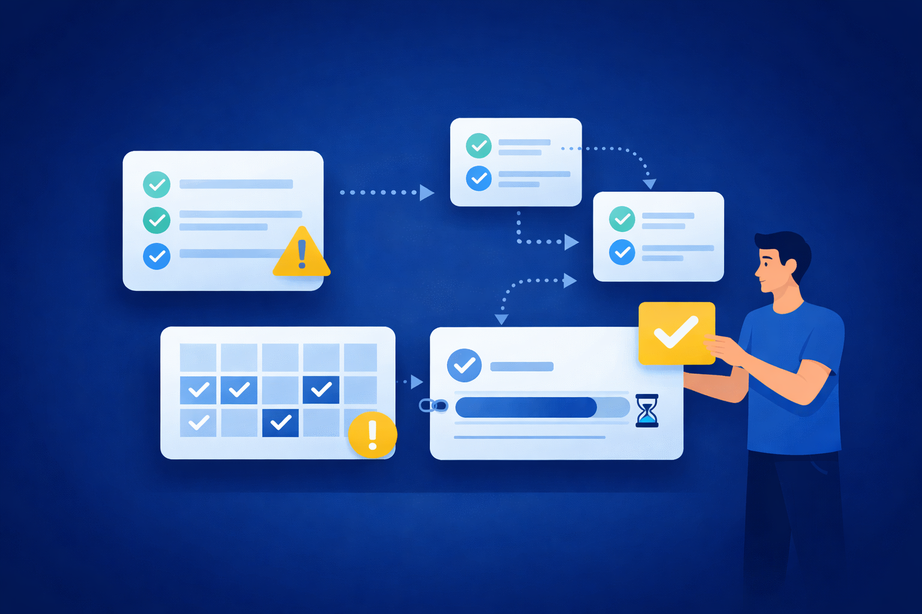
Startup environments rely on digital collaboration tools for syncing projects, clarifying ownership, and driving results. Among these tools, the @mention feature has become a linchpin for grabbing attention and ensuring tasks don’t slip through the cracks. Yet, when overused or mismanaged, @mentions can quickly turn clarity into chaos, overwhelming team members and eroding productivity.
A recent industry survey found that 76% of the workforce uses collaboration tools daily as part of their workflow (amraandelma.com). While direct, industry-wide statistics on the impact of @mentions are scarce, research consistently shows that structured communication practices in digital workspaces are critical for maintaining focus and work performance (ijrpr.com).
As you’ll see in this article, we’ll unpack the principles and workflows that help startup teams use @mentions in collaboration tools to foster alignment, reduce digital fatigue, and keep everyone working at their best.
@mentions are tags you add in a message, comment, or task to notify a specific person (or group) that their input or action is needed.
TL;DR / Key takeaways:
- Why mention tags create distraction and overwhelm as startup teams scale
- The core principles that keep tagging useful and predictable
- A simple workflow to use mentions in tasks and channels without added noise
- Common mistakes (like over-tagging) and practical ways to fix them
- How to roll out and maintain better norms over time
This guide is for startup founders, early operators, and team leads who rely on chat and task tools to coordinate day-to-day work. It’s a good fit if your team is growing, going remote, or noticing more noise than clarity in notifications.
Why @Mentions Become a Real Pain Point for Startup Teams
The @mention feature was designed to make communication direct and actionable, but without clear norms, it often becomes a source of distraction rather than clarity. As startup teams grow, the temptation to tag whole channels or departments intensifies, flooding inboxes and making it harder to focus on what truly matters.
Notification fatigue isn’t just an annoyance—it can derail projects and lower morale.
Notification fatigue is the mental drain that comes from a steady stream of pings that interrupt focused work.
Research shows companies with strong collaboration cultures are five times more likely to retain employees than those without this focus (converzation.com).
A staggering 77% of employees report that notifications from workplace digital tools are distracting, with 31% being interrupted every 15 minutes (businesswire.com). For startups relying on agility, this constant digital noise can lead to missed deadlines, overlooked tasks, and a team culture where important messages get lost in the shuffle.
This challenge can be magnified by tool sprawl, as nearly 70% of IT and security professionals report being overwhelmed by the number of digital platforms they use (statista.com).
With Fluorine’s all-in-one workspace, startup teams can centralize communication and start building healthy @mention habits from day one.
Core Principles for Using @Mentions to Pull the Right People Into Work in One Workspace
To prevent @mentions from becoming a source of chaos, every team—especially startups—needs a handful of clear, actionable principles. Here’s how @mentions best practices make a difference:
- Establish Clear Guidelines: Teams should define when and how @mentions are used, so everyone knows what warrants a tag and what doesn’t. “Organizations should develop clear guidelines on when and how to use @mentions to prevent misuse and ensure they serve their intended purpose,” says Raj Patel, Team Collaboration Expert (2024).
- Use @mentions Sparingly: Reserve tags for moments that truly need someone’s attention. Over-tagging dilutes urgency.
- Leverage Group Mentions Appropriately: Only use group tags (like @team) when the information is truly relevant to all.
- Encourage Custom Notification Settings: Help teammates adjust their notification preferences to fit their workflow.
- Revisit and Update Norms Regularly: As teams evolve, so should your @mention rules.
A recent survey found that 85% of employees believe collaboration tools improve overall team productivity (converzation.com).
Fluorine brings tasks and conversations together in a single view, so your team’s @mentions in collaboration tools stay transparent, purposeful, and easy to review.
Write down your team’s top 3-5 @mention principles and post them in your workspace as a living document.
Tying @Mentions to Channels, Threads, and Tasks
Many @mention problems aren’t about the tag itself—they’re about where the conversation happens. When decisions live in one place, updates in another, and action items somewhere else, teams start tagging more people just to rebuild context.
A simple fix is to agree on where different communication belongs: use task comments for decisions and next steps, use project channels for broader updates, and keep side discussions in threads. The clearer your norms are, the less you’ll rely on extra tags to force visibility.
In a shared workspace, pairing a tag with a task owner and a clear directive helps turn a notification into action without more follow-ups.
A Simple Workflow for @Mentions That Fits Fast Teams
Here’s a practical, step-by-step workflow that startup teams can adopt to make @mention etiquette second nature—even as they grow or go remote:
- Set Up Clear Structures: Create focused channels and task boards so everyone knows where different types of work happen, and document your team communication norms.
- Assign Tasks with Direct @Mentions: When a new task is created, tag the responsible person directly in the task comment or description, pairing the tag with a clear directive.
- Use Comments and Channels for Context: Keep related discussions in the task or project channel, using @mentions to loop in only those who need to act or decide. Over 50% of employees now prefer communication via chat rather than email, which makes @mention etiquette in these channels even more important (zipdo.co).
- Limit Group Mentions: Use @team or @channel tags only for critical updates, not routine check-ins.
- Review and Adjust: At the end of each sprint or project, discuss as a team how @mentions worked—what helped and what could be improved.
While no direct statistics exist on structured @mention workflows alone, research shows that well-managed notification systems and structured communication can reduce fatigue and improve overall productivity (corporatewellnessmagazine.com; workjoy.co).
For distributed teams, remember to be mindful of time zones when tagging colleagues—good @mention etiquette is especially crucial for remote and hybrid teams.
For more on integrating work and communication, check out our guide to organize tasks and communication in one workspace.
Try piloting this workflow on a single project—see how much smoother collaboration becomes before rolling it out across your full team.
Common Mistakes with @Mentions and How to Avoid Them
Why do so many teams go from loving @mentions to loathing them? The answer is usually a handful of avoidable traps.
It’s a question nearly every startup team faces: How do we keep @mentions helpful, not harmful?
Overusing @mentions—especially group tags—quickly leads to notification overload. Recent studies show that 77% of employees find digital notifications distracting, and constant interruptions can cause stress, reduce engagement, and make workers tune out important updates (businesswire.com; ijrpr.com).
As Steve Baxter, CEO of Mandoe Media, notes, “Overwhelming employees can lead them to tune out important messages” (hcamag.com).
Excessive notifications create diminishing returns: the more noise, the more likely people are to ignore even crucial messages.
Other mistakes include tagging people for tasks they don’t own, failing to clarify who’s responsible, or letting channels get cluttered with unrelated threads.
In fact, nearly 60% of employees feel their collaboration tools do not align with real team workflows—a gap that strong @mention norms can help close (statista.com).
To fix this, start by picking one mistake you recognize in your own workspace and commit to a small change this week.
If you’re struggling with comment hygiene, our guide to task comments that work can help you regain clarity.
Rolling Out Better @Mention Norms With Your Team
Too many teams treat @mention etiquette as a “set it and forget it” rule. The truth is, rolling out new norms—and keeping them fresh—takes collaboration and regular review.
Key takeaway: Sustainable change happens when the whole team participates in defining, piloting, and refining new communication habits.
Kick things off with a short message outlining why you want to improve @mention use, then schedule a quick working session to draft your team’s principles.
After a couple of weeks, review what’s working and adjust as needed.
As Olivia Brown, Corporate Trainer at RemoteReady, says, “Continuous training on digital communication etiquette, including the use of @mentions, will be vital as remote work becomes more prevalent.”
High-performing teams are 80% more likely to use collaboration tools effectively, making this focus a clear route to a performance edge (zipdo.co).
Ready to try this approach? Start with one project or team in Fluorine, iterate together, and watch your team’s communication clarity and morale rise.
Frequently Asked Questions
When should we @mention someone instead of just posting an update?
Use a tag when someone needs to act, decide, or unblock a task—not just to keep them in the loop. If there’s no clear next step for the person you’re tagging, it’s usually better as a normal update.
Are group mentions like @team ever a good idea?
Yes, but only when the update is truly relevant to everyone and time-sensitive (for example, a critical change that affects the whole project). Overuse is a fast path to people tuning out, which contributes to notification fatigue.
What’s the simplest way to reduce over-tagging without slowing work down?
Start with clear guidelines and make it easy to see ownership: tag the responsible person on the task, include a directive, and keep the discussion with the work. These small habits support @mentions best practices without adding meetings or extra process.
How often should we review our @mention rules?
Review them at the end of each sprint or project, then adjust based on what caused confusion or noise. As your team grows or shifts remote/hybrid, revisiting norms helps keep the signal-to-noise ratio healthy.
References
- International Journal of Research Publication and Reviews. (2023). https://ijrpr.com/uploads/V6ISSUE10/IJRPR54475.pdf
- Corporate Wellness Magazine. (2023). https://www.corporatewellnessmagazine.com/article/reducing-notification-fatigue-in-modern-work-environments
- BusinessWire (2024). https://www.businesswire.com/news/home/20240620398667/en/Distracted-Every-15-Minutes-Unily-Research-Exposes-Workplace-Digital-Noise-Crisis
- converzation.com. https://converzation.com/article/statistics/collaboration-statistics
- zipdo.co. https://zipdo.co/workplace-collaboration-statistics
- statista.com. https://www.statista.com/statistics/1491621/collaboration-tolls-usage-global-concerns
- HCAMag. (2024). https://www.hcamag.com/au/specialisation/employee-engagement/notification-fatigue-is-hr-being-too-noisy/531456