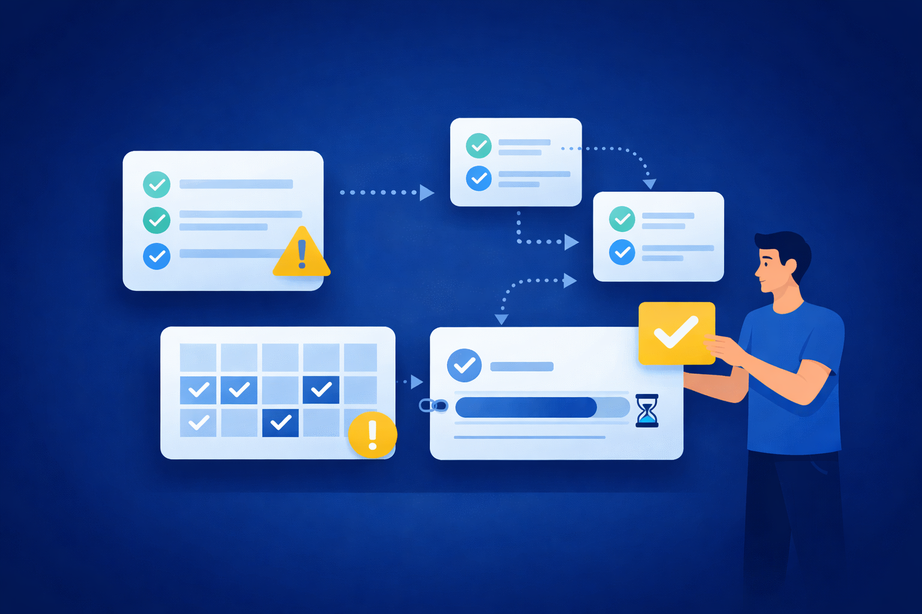
For startups and small teams, the ability to see what everyone is working on isn’t just a productivity perk—it’s a work visibility superpower. When teams lack transparency, priorities are missed, duplicated efforts pop up, and small miscommunications can derail projects. Research shows that companies with high transparency levels experience up to 35% higher employee engagement and a 20% rise in productivity (MoldStud).
But make work too visible, and you risk falling into the trap of over-reporting in teams—spending more time updating each other than actually moving projects forward.
Fluorine solves this by providing an all-in-one workspace that eliminates tool sprawl, so your team gets the benefits of team transparency without the reporting fatigue. The key is finding the right balance—making work visible enough to empower, but not so visible that it distracts or overwhelms.
Work visibility is the shared, up-to-date view of who owns what, what’s in progress, and what’s blocked—so teams can coordinate without constant check-ins.
TL;DR / Key takeaways
- Why visibility breaks down in startup teams when work is spread across too many tools.
- The core principles that keep ownership, context, and status clear without micromanagement.
- A simple workflow for tracking tasks, blockers, and progress with fewer meetings.
- Common visibility mistakes that lead to duplicated work and status overload.
- How to roll out new habits with a lightweight pilot and quick feedback loop.
This guide is for startup founders and small teams who want clearer ownership and progress tracking across tasks and communication. It’s a fit when your work is split across chat, email, docs, and task tools, and status updates are starting to feel like busywork.
Why Work Visibility Becomes a Real Problem for Startup Teams
Startups often face a unique challenge: work is spread across chat, email, docs, and standalone task tools, making it hard to know what’s actually happening at any moment. When everyone’s juggling multiple responsibilities, it’s easy for important updates to slip through the cracks.
This lack of clarity can also cause cognitive overload and frustration for team members, making it harder to maintain momentum and focus.
According to Insightful, 66% of remote workers can’t see what their colleagues are working on, which leads to misalignment and duplication of effort.
A practical scenario described in industry research involves a remote startup managing several sprints across distributed teams. Without a single source of truth or real-time visibility, they dealt with repeated issues—such as two teams unknowingly tackling the same bug, or features delayed because ownership wasn’t clear (linkedin.com).
By keeping work and communication in one workspace, tools like Fluorine’s download page can help startup teams get a handle on visibility before chaos sets in.
The Principles That Make Work Visibility Easier to Manage
Ever wish your team could be in sync, without endless status meetings or micromanagement? It’s possible with a few simple principles:
- Visible Ownership: Make sure every task has a clear owner—no more “who’s handling this?” confusion.
- Clear Next Steps: Every project and task should have an obvious next action, so nothing gets stuck in limbo.
- Searchable History: Keep all decisions and updates stored in a searchable, single source of truth, so context isn’t lost in chat threads.
- Linked Conversations: Tie all feedback and comments directly to relevant tasks, ensuring context is always traceable and making audits or follow-up far easier.
- Simple Status Signals: Use straightforward status markers (like “In Progress” or “Blocked”) that everyone can see at a glance.
As Atlassian highlights, organizations progress more quickly when teams share a clear understanding of their goals and plans (atlassian.com).
That’s why Fluorine brings tasks, communication, and visibility together, letting your team work transparently without complicated processes.
Want to put these principles to the test? Try drafting a short working agreement with your team and running it for two weeks—you’ll quickly spot what creates clarity versus what adds clutter.
How to Share Progress Without Over-Reporting
The goal isn’t to document every action—it’s to make project progress tracking easier for everyone who needs to ship work, unblock others, or make decisions.
- Keep updates tied to tasks: Put the latest context where the work lives, not in a separate thread no one can find later.
- Use a small set of status signals: “In Progress” and “Blocked” often do more for team alignment than long written reports.
- Prefer async check-ins for routine updates: Save meetings for decisions and blockers, not recapping what’s already visible.
A Simple Workflow for Handling Work Visibility in One Workspace
Here’s a step-by-step workflow startup teams can use to keep everyone aligned—without adding reporting overhead:
- Open Tasks Where Work Lives: Create tasks directly in your team’s shared workspace so updates and progress are always visible. Many teams streamline this further with automated reporting and dashboards that keep everyone updated in real time.
- Add Context and Comments: Attach details, files, and feedback to each task. Make comments in the task itself, so all context stays put.
- Review Priorities as a Team: Use weekly or biweekly check-ins (async or live) to scan what’s in progress, what’s blocked, and what’s next.
- Spot Blockers Early: With everything visible, it’s easy to see what’s stalling and who needs help.
- Summarize Progress Asynchronously: Instead of status meetings, encourage team members to post short updates in the workspace.
According to a case study of a remote startup, switching to centralized, asynchronous progress tracking reduced meeting time and improved alignment across distributed teams (linkedin.com).
For specific strategies on keeping updates concise and actionable, see our article on How to Write Better Status Updates Without Meetings.
Common Mistakes Teams Make with Work Visibility
Why do so many teams get stuck, even with the best intentions? Often, they fall into one of these traps:
- Unclear Owners: Tasks get dropped because nobody’s sure who’s responsible.
- Too Many Open Tasks: Work piles up without prioritization, making it impossible to focus.
- No Intake Rules: Ad hoc requests flood the system, and priorities get lost.
- Scattered Follow-up: Important feedback gets buried in chat, never making it back to the task.
- Status Updates Not Tied to Work: Lots of reporting, but little actual progress.
Over-reporting and status overload can drain morale and eventually lead to burnout, especially in resource-constrained startup teams.
LinkedIn reports that 59% of managers lack real visibility into team productivity, making these mistakes all too common (linkedin.com).
For a streamlined approach to task status systems, check out Task Statuses That Work: A Simple System for Fast Teams.
How to Roll This Out Without Adding Friction
Rolling out new work visibility habits shouldn’t slow your team down or add a bunch of busywork. The best way to start? Pick a single workflow or recurring process, write a short guide on how you’ll track work, and review what’s working after two weeks.
Build in a quick team feedback loop during your pilot to spot friction and adapt your process early.
Fluorine’s simple setup and mobile access make it easy for startups to pilot these changes without a heavy lift or complex onboarding.
Try it out with one active team workflow—you might be surprised how quickly clarity and momentum build.
If you want a low-stakes way to test whether one workspace reduces update overhead, take a look at Fluorine’s plans and start with a small pilot workflow your team already runs every week.
Frequently Asked Questions
What’s the difference between work visibility and over-reporting?
Work visibility is about making ownership, status, and blockers easy to find where the work happens. Over-reporting in teams is when updates become the work—long reports, constant pings, or meetings that repeat information that could live in tasks.
How often should a startup team review priorities?
The workflow above suggests weekly or biweekly check-ins (async or live) to scan what’s in progress, what’s blocked, and what’s next. The right cadence is the one that keeps priorities current without pulling people into meetings too often.
Where should decisions and context live—chat or the task?
When decisions directly affect a deliverable, keeping them attached to the task makes them easier to find later. This supports team transparency because the “why” stays connected to the “what,” even when teammates aren’t online at the same time.
What should a good async status update include?
Keep it brief: what moved forward, what’s blocked, and what the next step is. If the task already has clear ownership and a simple status signal, the update can be a quick summary instead of a full report.
How do you roll this out without slowing the team down?
Start with one workflow, write a short guide for how you’ll track work, and review what’s working after two weeks. Adding a basic feedback loop during the pilot helps you spot friction early and adjust.
References
- MoldStud. Enhance Team Efficiency with Real-Time Reporting. https://moldstud.com/articles/p-enhance-team-productivity-with-real-time-reporting
- Insightful. Remote Work Visibility: Challenges and Importance in Current Scenario. https://www.insightful.io/blog/remote-work-vs-smart-remote-work
- LinkedIn. Mastering Project Progress Tracking in Remote Teams: Tools and Tactics That Work. https://www.linkedin.com/pulse/mastering-project-progress-tracking-remote-teams-tools-srikanth-r-8qppc
- Atlassian. Control the Chaos: A Smarter Approach to Planning Your Work. https://www.atlassian.com/blog/strategy/work-planning
- LinkedIn. Why 59% of Managers Lack Productivity Insights & How to Fix It. https://www.linkedin.com/pulse/why-59-managers-lack-productivity-insights-how-fix-workstatus-fccof
- Fluorine. How to Write Better Status Updates Without Meetings. https://fluorine.app/blog/how-to-write-better-status-updates-without-meetings
- Fluorine. Task Statuses That Work: A Simple System for Fast Teams. https://fluorine.app/blog/task-statuses-that-work-a-simple-system-for-fast-teams